Jump to a section
THE DECISION IN BRIEF
Which workflow fits you?
Safe 7 offers a touchscreen and documented mobile firmware installation. Nano X offers compact button controls with a starting-OS condition for wireless updates. Your intended recovery method is a separate decision.
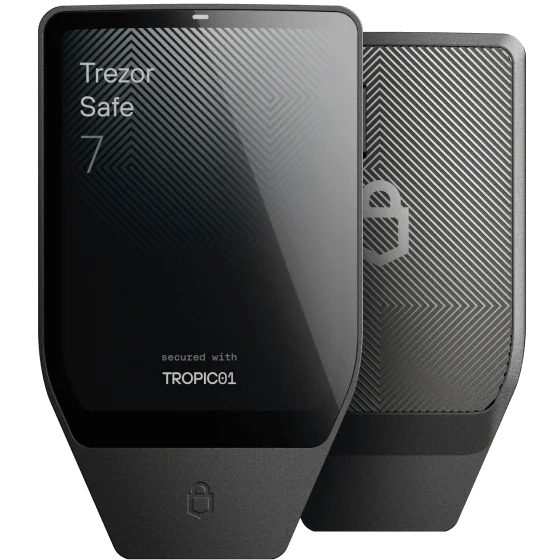
Trezor Safe 7
Investigate Safe 7 if a colour touchscreen and the Trezor Suite mobile workflow suit your requirements.
Before you choose: Its staggered multi-share recovery guide specifies a computer for the final share. Check the backup method you intend to use.
Read the full profile ↗Check the official store ↗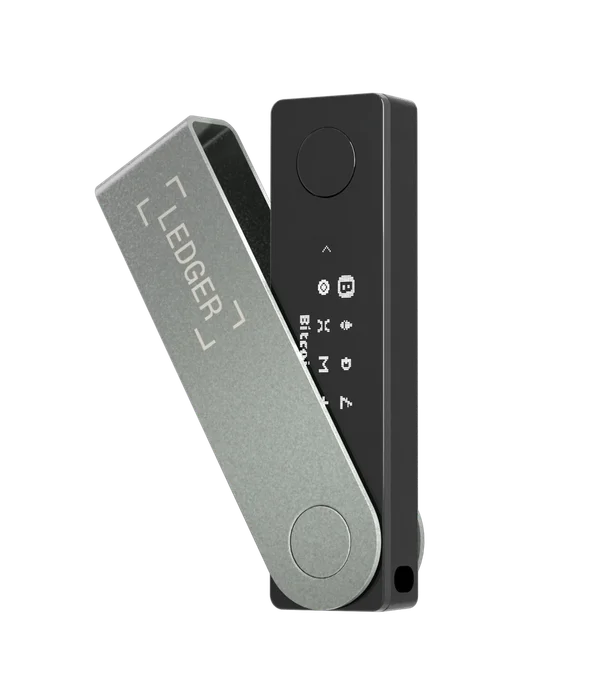
Ledger Nano X
Investigate Nano X if you prefer compact physical controls and have verified the installed firmware path.
Before you choose: An older unit can require wired Android or desktop access before Bluetooth OS updates become available.
Read the full profile ↗Check the official store ↗Official store links are direct and non-affiliate. Check current price, shipping and package contents with the seller. This is a documentation comparison, not a hands-on ranking.
The differences, side by side.
| Requirement | Trezor Safe 7 | Ledger Nano X |
|---|---|---|
| iPhone signing | Bluetooth | Bluetooth |
| Android signing | Bluetooth / USB-C | Bluetooth / USB-C |
| Transaction screen | Dedicated colour touchscreen | Dedicated monochrome display |
| Phone application | Trezor Suite | Ledger Wallet |
| Routine maintenance | Mobile firmware installation documented in Trezor Suite. | Bluetooth: Ledger OS 2.4.1+. Older OS: wired desktop or Android required. |
| Recovery to investigate | Backup type matters. Staggered multi-share recovery specifies Suite on a computer for the final share. | Keep a valid recovery phrase. Replacement-device recovery is documented by Ledger; not hands-on verified here. |
Bluetooth support is the beginning of the comparison.
Trezor’s Safe 7 setup guide documents mobile setup in Trezor Suite. On iPhone, Bluetooth is the connection used for pairing; USB-C can supply power. Ledger lists Nano X support for iPhone over Bluetooth, with USB available for Android and desktop use.
Do not apply either statement to every model from the same brand. Trezor Safe 3, Safe 5 and Safe 7 have different iOS capabilities. Ledger Nano S Plus has different platform requirements from Nano X. The model name belongs beside every compatibility claim.
Choose a review interface you can use deliberately.
Safe 7 uses a colour touchscreen. Nano X uses a smaller monochrome display and physical buttons. That affects how information is presented and how you move through confirmations, especially when you use the wallet frequently.
A larger screen is not proof that a transaction is legitimate, and physical buttons are not a substitute for reviewing details. Consider your eyesight, comfort with the interface and the manufacturer’s documented confirmation process. We have not handled these devices or measured task-completion times.
The installed firmware can change an iPhone-only decision.
Ledger documents Bluetooth OS updates on Nano X from Ledger OS 2.4.1 onward. Earlier versions need a wired desktop or Android connection for an update first. If borrowing a computer or Android phone would be a problem, resolve the installed-version question before purchase.
Trezor documents firmware installation as part of Safe 7 mobile setup. This is evidence for that documented initial workflow. It is not a promise that every future firmware release will have identical requirements. Recheck the official update instructions when an update becomes relevant.
Keep recovery as a separate check.
A successful mobile setup does not establish every recovery scenario. Trezor’s recovery guide distinguishes backup types and includes additional conditions for staggered multi-share recovery, including a computer connection for the final share in the documented process. Do not turn a general mobile-support label into an unconditional recovery claim.
For either device, identify the backup method you will use and what hardware and software its current recovery guide requires. If phone-only recovery is essential, ask the manufacturer about the exact backup type and scenario. Keep recovery words private; a comparison site should never receive them.
Make the decision with a short requirements list.
Safe 7 is worth investigating if you prefer a touchscreen and the documented Trezor mobile workflow fits your requirements. Nano X is worth investigating if you prefer its form factor and button interface and have resolved the initial OS-version condition.
Before ordering, verify your phone OS, assets and networks, setup route, update route and intended recovery method. Compare current prices at the official stores only after both devices have passed those checks. A cheaper device that requires equipment you do not have may be the less practical choice.
Go to the source.
Sources for this guide checked 19 October 2026. Individual catalog profiles retain their own review dates. We have not hands-on tested these workflows.