Jump to a section
THE DECISION IN BRIEF
Which workflow fits you?
Choose by the interaction and backup you want to manage: NFC cards with the phone display, or Bluetooth with a separate screen and buttons. Then resolve the exact phone and firmware conditions.
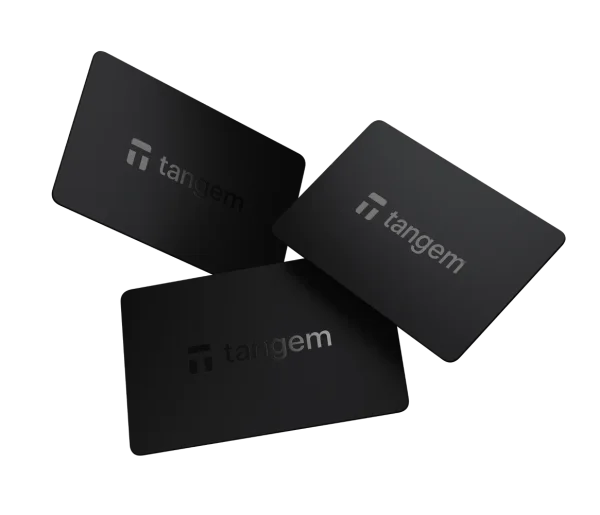
Tangem Wallet
Investigate Tangem if you want NFC cards without charging and accept reviewing transactions on the phone.
Before you choose: Reconsider if you require a separate signing screen or your handset cannot complete the backup process.
Read the full profile ↗Check the official store ↗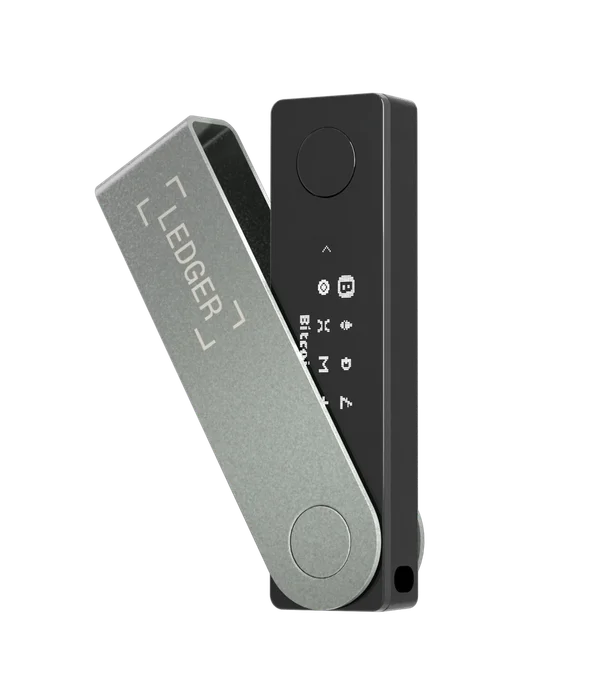
Ledger Nano X
Investigate Nano X if you want an independent display and physical buttons, and the Bluetooth workflow fits.
Before you choose: Resolve the OS 2.4.1 starting requirement for Bluetooth updates before an iPhone-only purchase.
Read the full profile ↗Check the official store ↗Official store links are direct and non-affiliate. Check current price, shipping and package contents with the seller. This is a documentation comparison, not a hands-on ranking.
The differences, side by side.
| Requirement | Tangem Wallet | Ledger Nano X |
|---|---|---|
| iPhone signing | NFC | Bluetooth |
| Android signing | NFC | Bluetooth / USB-C |
| Transaction screen | Phone screen only | Dedicated monochrome display |
| Phone application | Tangem | Ledger Wallet |
| Routine maintenance | Card firmware is fixed and cannot be updated. The phone app is updated separately. | Bluetooth: Ledger OS 2.4.1+. Older OS: wired desktop or Android required. |
| Recovery to investigate | Backup depends on the setup you choose. Understand spare-card and optional seed-phrase recovery before funding. | Keep a valid recovery phrase. Replacement-device recovery is documented by Ledger; not hands-on verified here. |
Start with the exact phone.
Tangem communicates through NFC. Ledger Nano X connects to iPhone over Bluetooth and supports Bluetooth or USB with Android. These are different requirements, so start with your phone model and operating system instead of choosing a brand first.
Tangem’s compatibility guide makes a distinction that matters: some phones can scan a card but cannot create backups. A successful scan or an NFC badge on a specification sheet is therefore incomplete evidence. Read the model-specific exceptions before ordering a set.
Decide where you want to review a transaction.
The Nano X has a dedicated display and physical buttons. Tangem cards have no display; transaction details are presented in the phone app. A separate display gives you another place to review information, while a card removes charging and button navigation from everyday use.
This is a design trade-off, not a basis for inventing a safety score. Whatever device you choose, understand the manufacturer’s transaction-review instructions and what information you are expected to verify. Do not reduce that decision to which connection sounds more secure.
Check the update path before buying.
Ledger states that Nano X Bluetooth OS updates require Ledger OS 2.4.1 or later. A device on an earlier version needs a wired desktop or Android update first. That condition can be decisive for someone who owns only an iPhone. Ask about the installed OS version if it is not established by the seller.
Tangem states that the card firmware is fixed and cannot be updated. The mobile app is separate software that can receive updates. Fixed card firmware removes one maintenance operation, but it does not mean that future app requirements or manufacturer notices can be ignored.
Compare backup dependencies, not just the purchase price.
Before buying either product, identify the backup option you intend to use and read its recovery instructions. A set of backup cards and a written recovery phrase are different arrangements. The number of spare devices, where they are stored and what happens if a phone is lost belong in the comparison.
Compare the complete package you actually need: the device or card set, shipping, any suitable cable and any backup accessory you independently decide to use. Prices vary by country and promotion, so a fixed price in an old review is less useful than checking the current official checkout.
Tangem says backup cards have equal access to the same wallet and cannot simply be added after the backup process is complete. In a seedless setup, losing every card removes the recovery route; a wallet set up with a phrase has a different fallback. Nano X phrase recovery takes place on a compatible signer. Decide which dependency you can preserve, rather than treating both products as having interchangeable backups.
Which belongs on your shortlist?
Investigate Tangem if NFC cards suit your routine, your exact phone supports setup and backup, and you are comfortable with transaction details being reviewed on the phone. Investigate Nano X if you want a separate screen and buttons, Bluetooth fits your phone and you have confirmed the firmware condition.
Neither is a universal winner. Write down your phone, preferred connection, supported assets and recovery requirements. Eliminate a device when a required step is unsupported; leave an unresolved step clearly marked until the manufacturer answers it. This comparison is based on documentation, not hands-on device testing.
Go to the source.
Sources for this guide checked 19 October 2026. Individual catalog profiles retain their own review dates. We have not hands-on tested these workflows.
- Ledger Nano X: connectivity and OS update requirements ↗
- Tangem: NFC and phone model requirements ↗
- Tangem: card firmware and authenticity ↗
- Tangem hardware wallet: how card backup works ↗
- Tangem: device loss and recovery conditions ↗
- Ledger: model-specific mobile OS updates and troubleshooting ↗
- Ledger: on-device phrase recovery and app prerequisites ↗