Choose the hardware account deliberately.
SafePal’s setup guide creates or restores the wallet on the S1 and then pairs it with the phone application using QR codes. The official authenticity check is also part of the onboarding route. A successful hardware pairing is different from creating a software wallet in the same app.
That distinction is easy to miss because the app can manage both account types. SafePal explicitly explains that a wallet created and used without the S1 may be a software account. Before funding, establish which account you selected and which actions require approval on the device.
QR is a transport choice, not an approval shortcut.
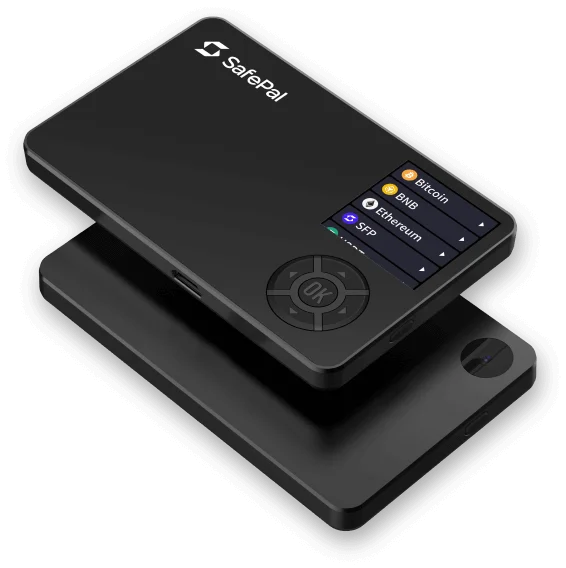
The S1 uses a camera, a small colour display and physical navigation controls. Its phone workflow exchanges QR codes instead of using Bluetooth or NFC. Consider the practical routine: two screens, camera permissions, battery charge and enough visibility to read the signing details.
The QR exchange still carries transaction data. Review the destination, amount and network on the hardware screen; scanning does not make a request trustworthy. Check hardware support for the exact chain, particularly when an app feature also exists for software accounts. Integrated swaps and other services introduce their own conditions and fees.
The computer requirement is explicit.
The official S1 upgrade page says mobile upgrades are not supported. It describes downloading the firmware file on a computer, connecting over USB and transferring it while the device is in upgrade mode. Its Windows and Mac instructions are separate from the phone transaction workflow.
This is why S1 appears under “Computer in update guide” in our finder. Skipping firmware forever is not a substitute for a maintenance plan. If you only own a phone, decide how you would obtain suitable computer access before ordering, or compare a documented mobile-maintenance option.
Restore on the device, then pair again.
The S1 setup guide includes an on-device recovery route followed by phone-app pairing. If you choose an additional passphrase, SafePal documents that it selects a different wallet under the same mnemonic phrase. That passphrase must be preserved as part of your chosen recovery arrangement.
Losing a phone, forgetting a device PIN and losing the backup are different incidents. Write down the dependencies of your actual setup before using it: compatible replacement hardware, the correct backup and the supported application. We have not conducted a recovery rehearsal on S1.