Use the guide for the third generation.
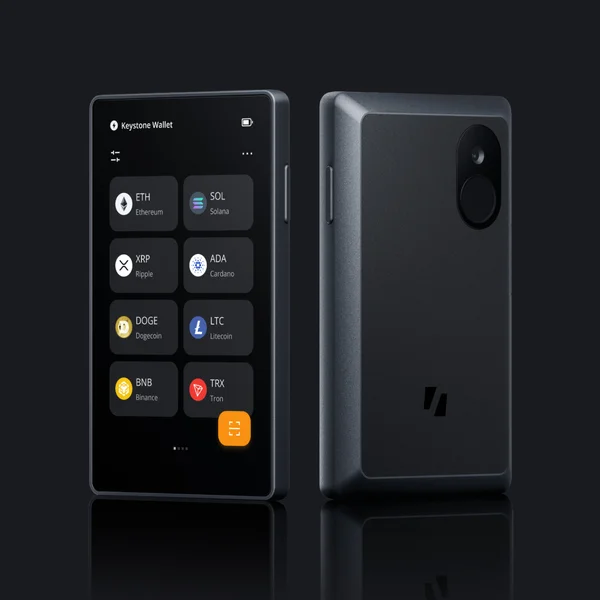
Keystone’s current setup guide names Keystone 3 Pro and describes creating or importing a wallet on its touchscreen. It includes device verification and firmware preparation, with computer access in the prerequisites. Do not reuse an older Pro or Essential guide just because the names look similar.
Choose the companion application as part of setup. The documentation identifies mobile options including MetaMask, OKX and BlueWallet, with different network scopes. MetaMask independently lists Keystone among its mobile hardware integrations. Those facts do not imply that every feature of every listed app is available with this device.
The app and the signer have different jobs.
A supported phone wallet prepares the transaction and exchanges QR data with Keystone. The device gives you a separate touchscreen for review and signing. Confirm both the receiving network and the requested action before approving; a large screen cannot decide whether a contract permission is appropriate.
QR signing can suit people who do not want a Bluetooth link, but it requires a working camera on each side and an application that understands the exchange. If your main wallet is a desktop-only integration, the hardware’s QR capability alone does not create a mobile version. Check the exact application route before purchasing.
Air-gapped signing still has maintenance equipment.
The firmware guide offers MicroSD and USB update methods, and lists a computer for both. It also says devices below version 1.0.4 need an initial MicroSD update before the USB method becomes available. Include the card and reader in the plan when the starting version requires them.
The USB connection used for an update should not be confused with a documented phone signing path. Follow the dedicated current firmware instructions for battery, filesystem and file requirements. Older setup pages can differ in preparation details; we do not turn those differences into a blanket phone-only promise.
Pick a backup method you can reproduce.
The device supports creating a new phrase or importing a compatible existing one through the on-device interface. Optional Shamir arrangements split recovery into shares with a required threshold. They are not interchangeable with simply making several copies of one ordinary phrase.
Before adopting an advanced arrangement, work out which replacement device understands it, which shares you need and whether an additional passphrase is involved. Keep the necessary app and network information identifiable too. Our inclusion of these features documents choices, not a hands-on test of recovery or a recommendation that a more complex setup is always better.