E Ink touchscreen / PHONE BUYING GUIDE

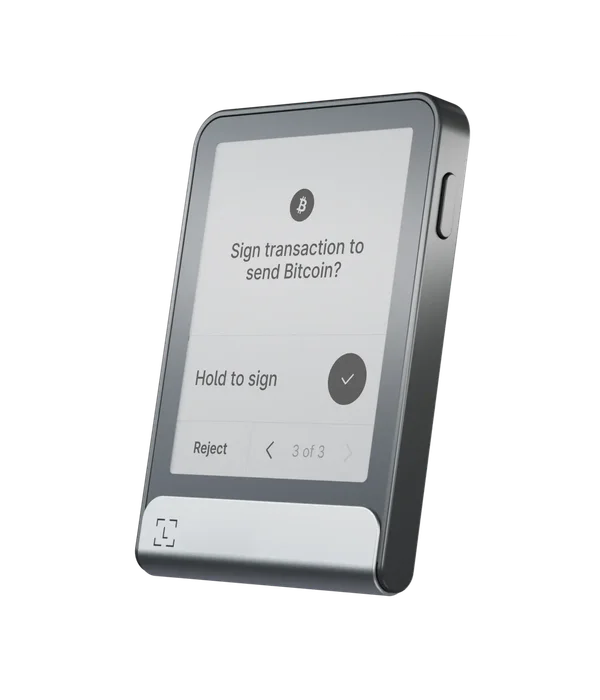
Ledger Flex

Shortlist Flex when reading and approving on a larger device display matters more than the smallest carrying size. Bluetooth covers routine phone use and updates, with a desktop fallback in the troubleshooting guide.

Official store · direct, non-affiliate link
Current price, shipping and availability are shown by the seller.

Ledger Flex05 / MANUFACTURER IMAGE
iPhone
Bluetooth
Android
Bluetooth / USB-C
Transaction review
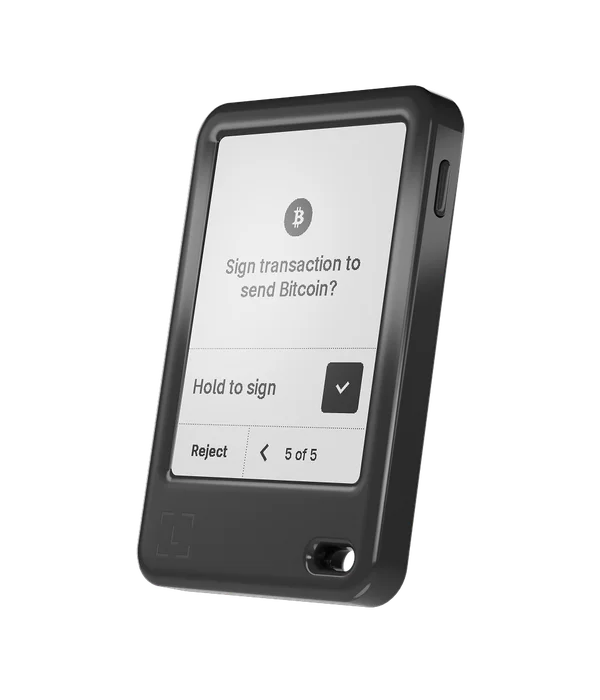
2.84-inch E Ink touchscreen

A GOOD FIT IF

This could be your setup.

  • You want more room to review transactions than a two-button Nano offers.
  • You use Ledger Wallet on a compatible iPhone or Android.
  • You can plan for occasional troubleshooting beyond routine Bluetooth use.

PAUSE BEFORE BUYING

Check these deal-breakers.

  • —You need a guarantee that every failed update can be fixed with only a phone.
  • —Your essential asset requires an unverified third-party mobile integration.
  • —You are choosing NFC because you expect to tap the signer against your phone for ordinary transactions.
Companion app
Ledger Wallet
Phone requirements
Product page lists iOS 14+, but current recovery guidance requires iOS 15+. Android 10+ documented; check current app availability. USB needs OTG/data support.
Asset scope
Multi-asset; distinguish Ledger Wallet support from third-party mobile support.
The detail that can change your decision

Routine OS updates work over Bluetooth. A device stuck in Update Mode may need Ledger Wallet on desktop.

Start with the app and your actual phone.

Flex connects to iPhone over Bluetooth. Android also has a documented USB path, provided the phone and data cable support it. Its NFC features have separate purposes: the presence of NFC is not evidence of a Tangem-style transaction workflow.

Ledger’s product specification lists iOS 14+ and Android 10+, while its current recovery instructions require iOS 15+ for the phone path. Treat that discrepancy as a reason to check the current app-store listing on your phone before ordering. A published hardware minimum is not a promise that every later app release installs on that OS.

Buy the display for the decisions you make.

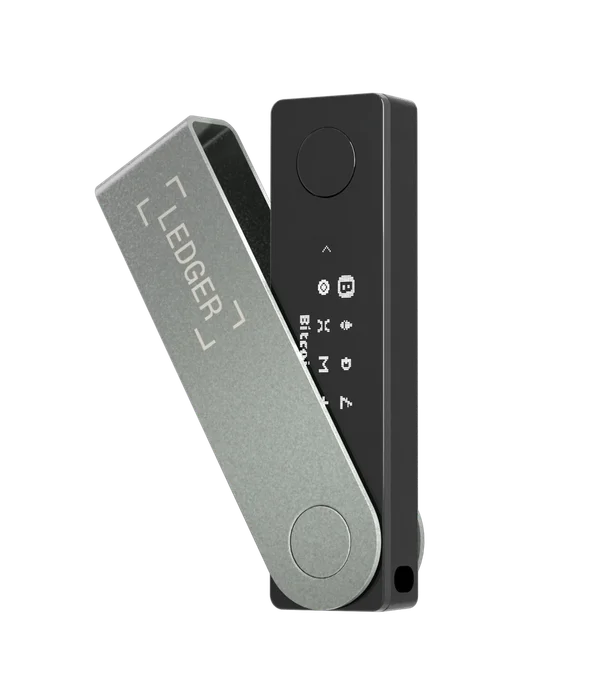
The E Ink touchscreen gives transaction review more room than the Nano X display. That can matter for addresses and permission details, but a larger screen is not a security rating. You still need to understand and check the action presented on the signer.

Make a list of your required assets and networks before comparing prices. A token being supported through a desktop wallet does not establish the same workflow in Ledger Wallet mobile. Use the linked asset directory to identify the application, then check that application’s exact Flex mobile integration.

Mobile maintenance, with a fallback to plan.

The model-specific OS guide documents Bluetooth updates in Ledger Wallet mobile. Remain in the app and follow the prompts through the device restarts. Releases may arrive progressively rather than appearing for everyone at the same moment.

The same guide recommends trying Ledger Wallet on desktop when a device is stuck in Update Mode. For a person with no computer access, that is a purchase condition worth resolving in advance. Routine mobile support and the ability to repair every fault from a phone are different claims.

Keep the backup distinct from the app.

Ledger documents restoring a phrase on the hardware touchscreen, then installing the relevant device apps and adding accounts in Ledger Wallet. The phone can help manage the process, but it is not where you type the hardware wallet’s recovery words.

Optional Recovery Key and Ledger Recover arrangements have separate setup, compatibility and service conditions. Decide which backup you will actually maintain before relying on it. We have not tested a Flex recovery or evaluated those optional services; their existence does not remove the need for a usable backup plan.
BEFORE YOU DECIDE

The questions that matter.

Can Flex update without a computer?

Routine Bluetooth OS updates are documented. A failed update may still lead to a desktop troubleshooting step.

Does NFC replace Bluetooth for phone signing?

No. Ledger describes NFC for Recovery Key and Security Key features. Use the documented Bluetooth or Android USB workflow.

Is Flex a better fit than Nano X?

It may be if a touchscreen and more room for transaction review are important to you. Compare carrying size, current checkout price and the applications you need.

READY FOR THE NEXT STEP?

Check the fit.
Then check the price.

Confirm your phone, asset network and backup method. Compare the full checkout total, including delivery, before ordering.

Check Flex at Ledger

Official manufacturer website.
No affiliate commission on this link.

Official evidence.

Manufacturer sources checked 19 October 2026. No independently selected owner reports or video review are included in this profile yet. Check the current requirements before a purchase.

How we select and interpret evidence →